




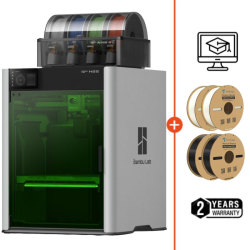




To fully take advantage of your Bambu Lab 3D printer and move to multi-material or multi-color printing, it is essential to understand how to install an AMS correctly. This installation does not simply consist of plugging in a module: it requires understanding your machine’s compatibility, the maximum number of supported modules, and the accessories required for each scenario.
In this article, we summarize the key information to help you obtain the accessories necessary for properly installing your modules.
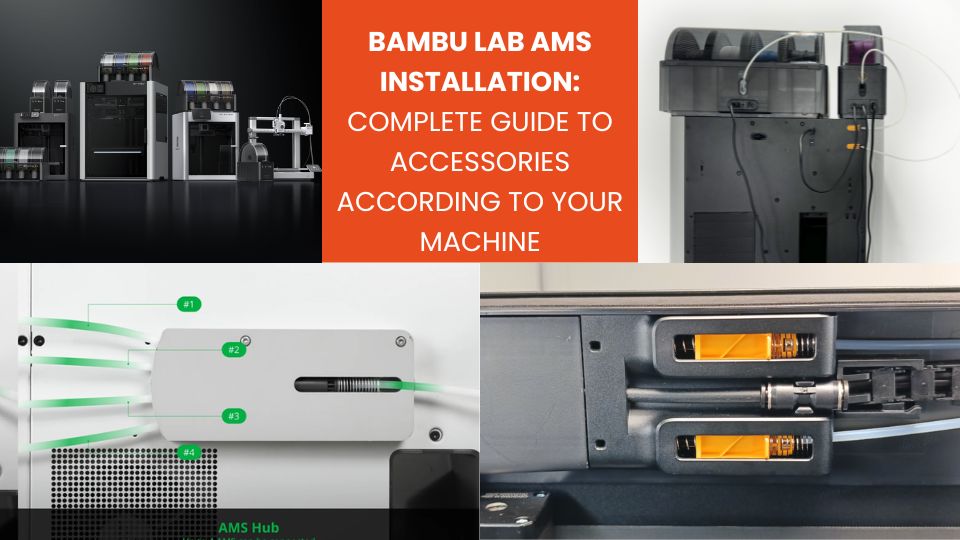
Understanding AMS modules
Before discussing compatibility, it is useful to recall the characteristics of each type of module:
- Standard AMS: manages multiple spools, no active drying.
- AMS 2 Pro: four slots, RFID recognition, integrated drying.
- AMS HT: designed for high-temperature materials, with powerful drying and reinforced motors (single spool).
Installing a module therefore involves managing three aspects: the mechanical routing of PTFE tubes, communication via the 6-pin cable, and electrical power for drying.
Summary table:
| Model | Maximum number of units | Required accessories | Drying notes |
|---|---|---|---|
| H2D | 4 AMS / AMS 2 Pro + 8 AMS HT Up to 25 colors (one nozzle with external spool, the other with 4+8 AMS) | Connection < 3 AMS: no accessories required Connection ≥ 3 AMS: 4-in-1 PTFE Adapter | One AMS 2 Pro can be powered by the machine; others require a power adapter Each AMS HT has its own dedicated power cable for drying. |
| H2S | 4 AMS / AMS 2 Pro + 8 AMS HT Up to 24 colors | 1 AMS: no accessories required >1 AMS: 4-in-1 PTFE Adapter | Same drying principle as H2D. |
| H2C | 4 AMS / AMS 2 Pro + 8 AMS HT Up to 25 colors (one nozzle with external spool, the other with 4+8 AMS) | Connection < 3 AMS: no accessories required Connection ≥ 3 AMS: 4-in-1 PTFE Adapter II | Same drying principle as H2D. |
| P2S | 4 AMS / AMS 2 Pro + 4 AMS HT Up to 20 colors | Connection 1–2 AMS: P2S Filament Buffer Connection ≥3 AMS: 4-in-1 PTFE Adapter + P2S Filament Buffer | Same drying principle as H2D. |
| P1 / X1 | 4 units maximum (all types combined) Up to 16 colors | 1 AMS: Filament Buffer + PTFE tube coupler + 4-pin cable >1 AMS: AMS Hub + PTFE tube coupler + 4-pin cable | Each AMS 2 Pro requires a power adapter AMS HT: dedicated cable included. |
| A1 Mini / A1 | Up to 4 colors with 1 AMS Lite OR Up to 16 colors with 4 AMS / AMS 2 Pro / AMS HT (no mix between AMS Lite and AMS 2 Pro/HT) | AMS Lite: no accessories 1 to 4 AMS: AMS Hub for A1 series | Each AMS 2 Pro requires a power adapter for drying AMS HT: cable included. |
Installation on H2 series
H2D series: maximum flexibility
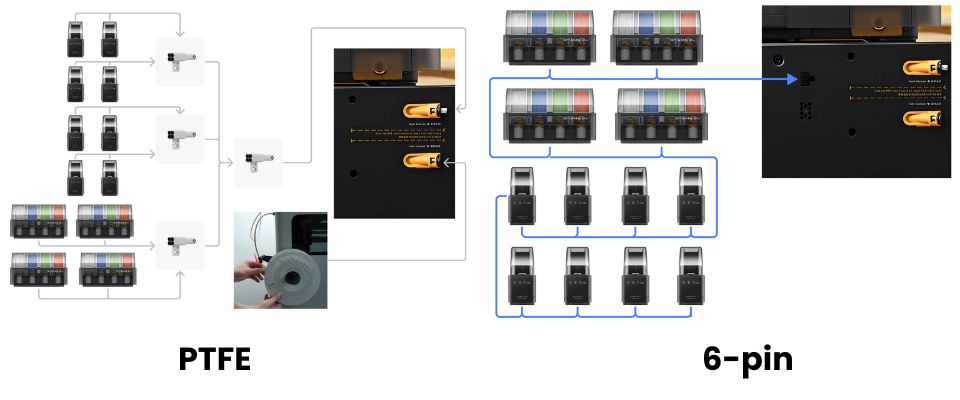
The H2D series (including H2D Pro) can host up to 12 modules. By combining these modules with an external spool on the second nozzle, it is possible to reach up to 25 colors.
The filament buffer is integrated into the machine, eliminating the need to purchase an additional buffer. For three modules or more, it is necessary to use a 4-in-1 PTFE Adapter to merge multiple filament lines into the machine’s single input. For drying, the machine can power one AMS 2 Pro; the others must use a Switching Adapter 24 V 4 A. The AMS HT has its own dedicated power cable for drying.
H2S series: same principles
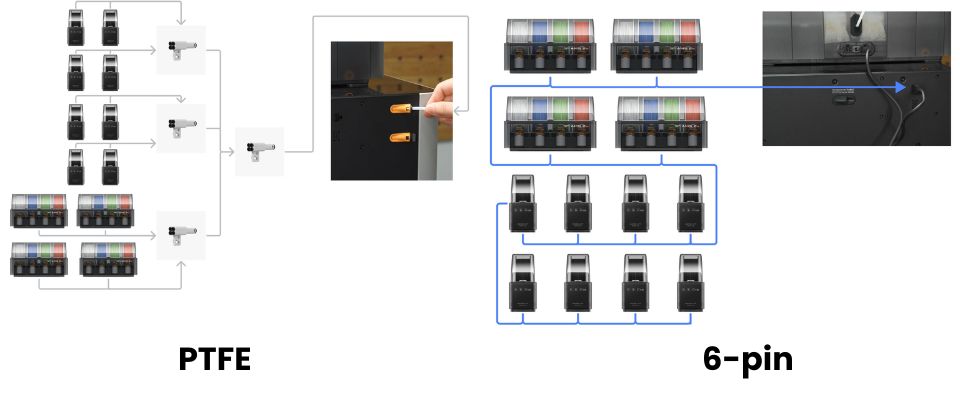
The H2S also supports up to 12 units in total. The integrated buffer avoids the need for a buffer with a single module, but starting from the second unit, the use of a 4-in-1 PTFE Adapter becomes mandatory. The maximum color capacity is 24 colors.
H2C series: dedicated port and specific adapter
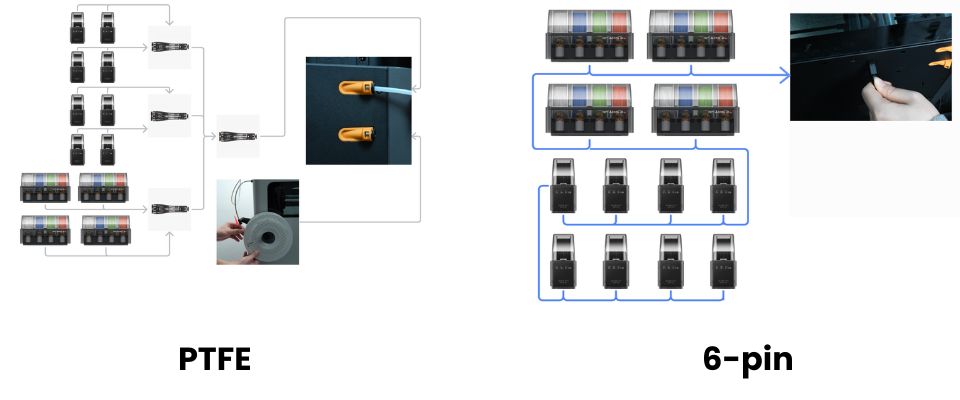
For the H2C, each material expansion port is dedicated. As soon as three modules or more are connected, a 4-in-1 PTFE Adapter II is required. The maximum configuration allows up to 25 possible colors. Drying follows the same logic: one module powered by the machine, the others via an additional adapter.
P2S series: mandatory buffer
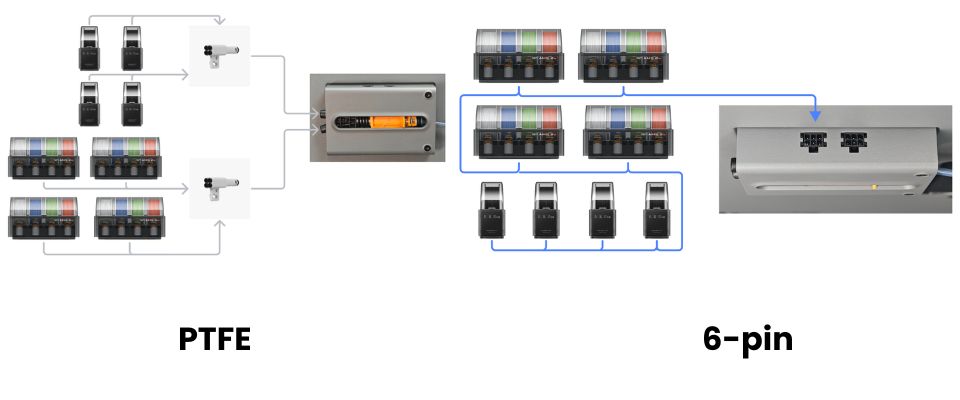
The P2S can host up to 8 units in total, including 4 HT modules, for a total of 20 colors. The machine does not include a built-in buffer compatible with the AMS 2 Pro. For one or two AMS units, installation requires the P2S Filament Buffer. For three AMS units or more, this buffer must be combined with a 4-in-1 PTFE Adapter to ensure reliable filament flow.
X1 and P1 series: centralized hub
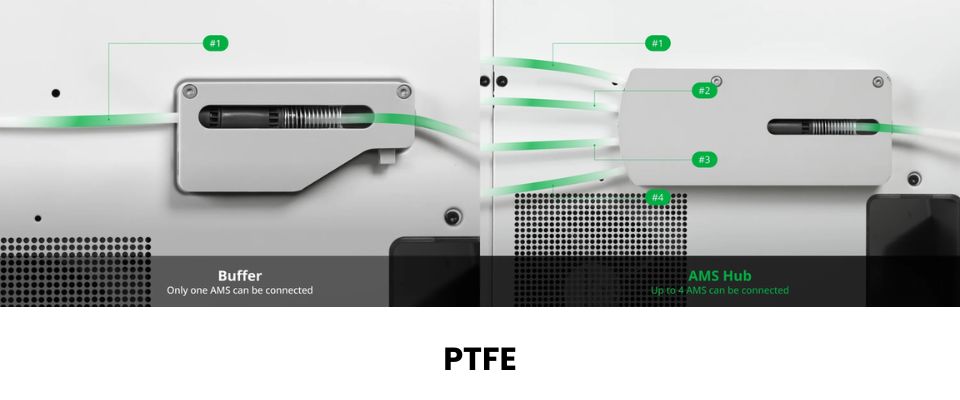
The X1 and P1 series have a strict limit of 4 AMS modules in total, all types combined (up to 16 colors). A single AMS requires a filament buffer, a PTFE coupler, and a 4-pin cable. For multiple AMS units, the use of an AMS Hub becomes essential, centralizing communication and filament distribution.
For drying, each AMS 2 Pro must be powered via an external adapter, as these machines cannot power the module for the drying function.
A1 and A1 Mini series: dedicated hub
The A1 series can connect only one AMS Lite, or up to 4 AMS / AMS 2 Pro / AMS HT (maximum total: 16 colors). The AMS Lite cannot be mixed with other modules.
In all other cases, the AMS Hub dedicated to the A1 series must be used, otherwise the hardware may be damaged. For drying, each unit must have its own dedicated power adapter.
Drying function: power and limitations
The AMS 2 Pro offers active drying. On H2 and P2S, only one module can be powered by the machine; the others require an external adapter. On X1, P1, and A1, all AMS 2 Pro units must use an external adapter. The AMS HT is autonomous thanks to its included AC cable.
During printing, an AMS 2 Pro can only dry if it is not feeding an active filament. If power comes from the machine, drying power is reduced to prioritize filament feeding, which makes external adapters preferable for optimal drying.
Tips for a reliable installation
- Check the maximum number of AMS units supported by your machine.
- Acquire all required accessories: buffer, hub, 4-in-1 PTFE Adapter, or specific adapter depending on the series.
- Use the 6-pin cables supplied with AMS 2 Pro and AMS HT to ensure stable communication.
- Update the firmware so the machine correctly recognizes the modules.
- Plan drying requirements: if several AMS 2 Pro units are used simultaneously, external adapters are recommended.
Conclusion
Installing an AMS module on your machine requires a clear understanding of series compatibility, the maximum number of supported units, and the necessary accessories. Regardless of the series you use, following these prerequisites ensures stable filament flow, successful multi-color prints, and optimal use of the drying function.
By following these recommendations, you will maximize the performance of your AMS 2 Pro and benefit from high-quality multi-color printing.
✅ Why Choose Polyfab3D?
Premium Support and After-Sales Service: Starting from your needs, we will guide you to the most suitable solution and provide long-term support for its implementation and daily use.
Official Reseller: Polyfab3D is a certified reseller of top brands, ensuring you get official products, exclusive access to the latest innovations, and priority technical support.
Fast Delivery and Customer Satisfaction: Polyfab3D is committed to providing you with an optimal and fast experience. Positive feedback from our customers rewards us and proves the reliability and efficiency of our service.
Contact us now for a personalized recommendation tailored to your needs, budget, and ambitions.